

Is There a Native Betride App?
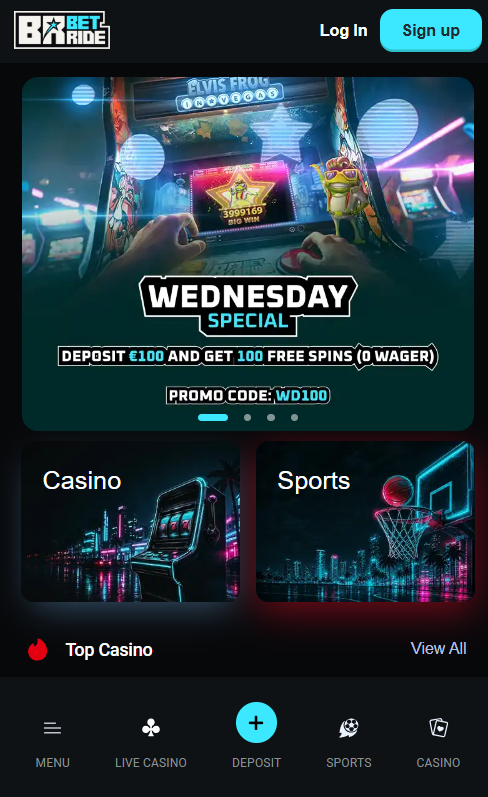
The short answer is no. Betride is not listed in the Apple App Store or on Google Play, and no separate Betride app download exists on the official site. Both Apple and Google apply strict policies around gambling apps and typically only accept those licensed by domestic regulators — a bar that Betride's offshore Anjouan Gaming licence does not clear for UK submission. The platform's answer is the Progressive Web App model: the browser-based site is optimised to run full-screen from a home-screen shortcut, indistinguishable in daily use from a native app once installed. Any "Betride app" downloads offered outside the official channels should be treated as suspect and avoided.
Installing the Betride PWA on iPhone
iPhone and iPad installation runs entirely through Safari, which is the only iOS browser that supports Add to Home Screen for casino sites of this type. The full process takes under 30 seconds.
- Open Safari — Chrome and other iOS browsers cannot install PWAs on iOS.
- Visit the Betride site — Enter the URL in the Safari address bar and wait for the homepage to load fully.
- Tap the Share icon — The square-with-arrow-up icon sits at the bottom of the Safari toolbar.
- Select Add to Home Screen — Scroll down inside the Share sheet to find this option.
- Confirm the shortcut name — Edit the default "Betride" if needed, then tap Add in the top-right corner.
The result appears as a Betride icon on the home screen and launches in full-screen mode without any Safari interface visible around the game lobby.
Installing the Betride PWA on Android
Android installation is more flexible than iOS and works in Chrome, Brave, Samsung Internet and Firefox. Chrome is the most common route and delivers the fastest install prompt.
- Open Chrome — Alternative browsers such as Brave and Samsung Internet also install PWAs correctly.
- Visit the Betride site — Type the URL into the address bar and wait for the page to load fully.
- Tap the three-dot menu — The vertical three-dot icon sits in the top-right corner of the Chrome toolbar.
- Select Install app — On some devices this appears as "Add to Home screen" instead.
- Confirm Install — The Betride icon lands on the home screen and can be launched like any other app.
Only install Betride through the official browser-based site; any file offered as a "Betride APK" outside the official channels is not published by the operator and should be avoided.
What Works on the Betride Mobile Version
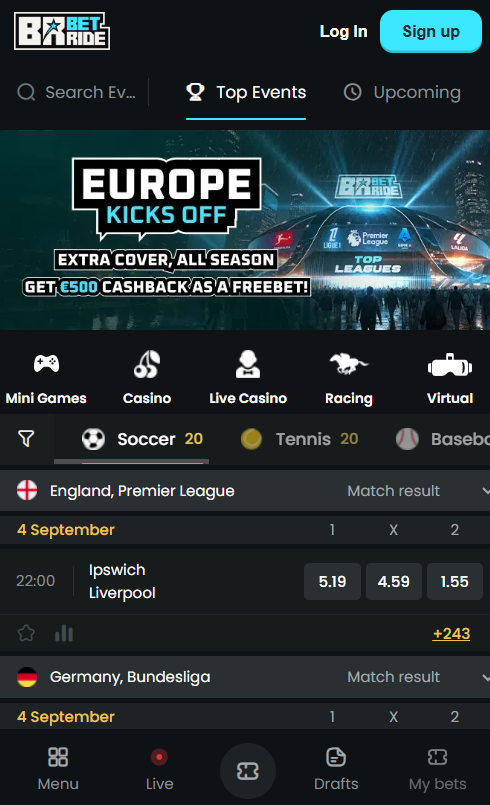
The Betride mobile version mirrors the desktop site rather than offering a cut-down experience. Every category and feature available on desktop also appears on the mobile PWA.
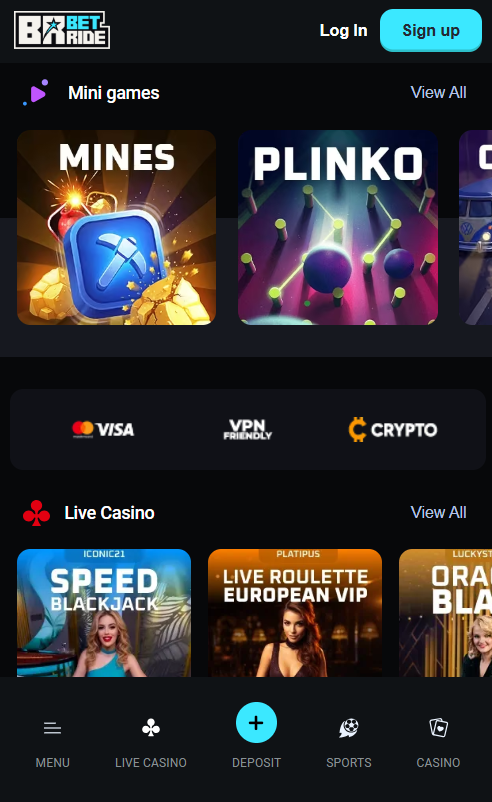
- All 6,000+ games — slots, live dealer, table games, jackpots and crash titles all run through HTML5 in the mobile browser
- Full cashier — deposits and withdrawals across every fiat method (Visa, Skrill, Neteller, bank transfer) and every supported cryptocurrency
- Live chat support — the 24/7 chat widget opens directly from the mobile footer without interrupting gameplay
- All bonuses and promo codes — the mobile cashier accepts BR200, WD100 and campaign codes on identical terms to desktop
- Full sportsbook — pre-match and in-play betting, cash out and 1,600+ football markets all function on mobile
Live dealer streams run in HD provided the connection stays above roughly 5 Mbps; on 4G or standard Wi-Fi this rarely presents an issue. For an overall look at how the mobile experience fits Betride's safety profile, the main Betride Casino page covers the offshore Anjouan Gaming licence and non-GamStop status.
| CRITERION | BETRIDE | CASINACHO ★ |
|---|---|---|
| Game catalogue | 6,000+ titles | 7,500+ titles |
| Live casino | Live dealer tables | 400+ Evolution tables |
| Welcome offer | 425% up to €2,000 | £3,000 + 200 spins |
| Bonus wagering | 45x(b+d) wagering | Lighter requirements |
| Crypto payouts | Cards & crypto | Fast crypto payouts |
| Sports betting | Full sportsbook | Casino-focused |
Mobile Payments and Bonus Claims at Betride
Every payment route available on desktop also works from the Betride mobile PWA. Deposits and withdrawals initiate from the same cashier, and the flow adapts to touch input for card details, e-wallet logins and crypto wallet deep links.
Deposits by Visa, Mastercard, Skrill, Neteller and bank wire transfer complete identically to the desktop flow. Cryptocurrency deposits benefit from deep-link support: tapping the Bitcoin, Ethereum or USDT deposit option opens the linked wallet app (such as Trust Wallet, MetaMask or Coinbase Wallet) with the recipient address pre-filled. Google Pay is supported for Android users where enabled by the local card issuer. Bonus codes such as BR200 and WD100 are entered in the mobile cashier under the same promo code field visible on desktop — the full Betride bonus page lists current codes, and mobile registration steps sit on the registration page.
Troubleshooting Betride Mobile Issues
A handful of predictable problems account for most Betride mobile complaints. The table below matches each with the fastest fix.
| Problem | Solution |
|---|---|
| PWA install option missing | Ensure Safari is used on iOS and Chrome, Brave or Samsung Internet on Android |
| Games not loading | Clear browser cache and update to the latest browser version |
| Live dealer streams lag | Check the connection speed is above 5 Mbps; switch from mobile data to Wi-Fi |
| Login fails on mobile | Try incognito or private browsing mode to bypass corrupted cookies |
| Cashier deposit fails | Verify the card is enabled for international transactions with the issuing bank |